

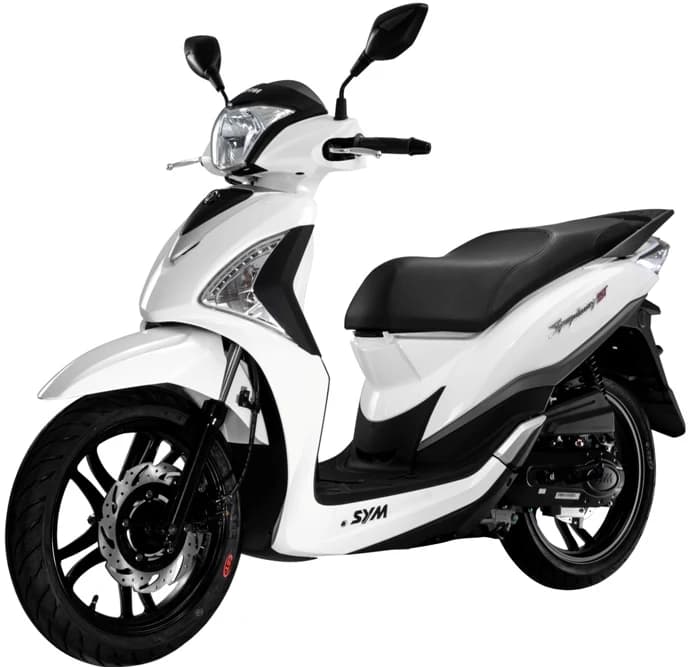
SymphonyST200i (XB20W1-EU)
Choose a section to see its exploded diagram and parts.
Click to download: official SymphonyST200i service manual (PDF)
The SymphonyST200i (XB20W1-EU) is powered by a 4-stroke, single cylinder, forced air cooled engine displacing 168.9cc, producing 8.8 kW @ 7500 rpm. Drive goes through a V-belt CVT with a centrifugal, dry type. It measures 1995±20mm long, 725±10mm wide and 1195±20mm tall, with a 1350±10mm wheelbase and a curb weight of 127kg. Top speed is 100 and above. It rides on a 110/70-16 front tire and 110/70-16 rear tire, with disc, 260mm front and disc, 240mm rear brakes.
Full specifications›
Specifications are drawn directly from the above linked service manual. Model variation specifications may vary.
| Engine | 4-stroke, single cylinder, forced air cooled |
|---|---|
| Displacement | 168.9 cc |
| Bore x stroke | 61 x 57.8 mm |
| Compression ratio | 10.2±0.2:1 |
| Max power | 8.8 kW @ 7500 rpm |
| Max torque | 12.5 N·m @ 5500 rpm |
| Fuel | unleaded 93/95 |
| Fuel tank capacity | 7.5 L |
| Starting system | electric starter |
| Transmission | V-belt CVT |
| Clutch | centrifugal, dry type |
| Length x width x height | 1995±20 x 725±10 x 1195±20 mm |
| Wheelbase | 1350±10 mm |
| Curb weight | 127 kg |
| Top speed | 100 and above |
| Front tire | 110/70-16 |
| Rear tire | 110/70-16 |
| Front brake | disc, 260mm |
| Rear brake | disc, 240mm |
| Front suspension | telescopic fork |
| Rear suspension | double swing arm |
Engine

Identical to 1 diagram on other models›
- Classic200i XA20W1-EU — E01 XA20W1-EU· same parts


Identical to 1 diagram on other models›
- Classic200i XA20W1-EU — E04 XA20W1-EU· same parts

Identical to 1 diagram on other models›
- Classic200i XA20W1-EU — E05 XA20W1-EU· same parts


Identical to 1 diagram on other models›
- Classic200i XA20W1-EU — E07 XA20W1-EU· same parts


Identical to 1 diagram on other models›
- Classic200i XA20W1-EU — E13 XA20W1-EU· same parts

Frame / Body


Models that share the most parts with SymphonyST200i (XB20W1-EU)
Top five models ranked by the share of this model's part numbers they also list.
Buy with confidence
How SYM parts lookup works
A few simple checks help you find the right genuine part before you order.
- 1
Choose the Correct Model Code
This can be difficult. We recommend searching by VIN, checking whether your part is available across all potentially correct model codes, and contacting us with the bike vin, engine number, model and a picture if you are unsure.
- 2
Select the desired diagram
Each model page displays all section diagrams. It also shows when a section is an exact match for a part section on another model.
- 3
Select Your Parts
Each numbered part corresponds to a number in the diagram. Parts almost always show when stock is low or out, and coloured parts display their options in a dropdown.